
Scheduling
Schedule building, coverage and rotations.
Rotations fill the calendar, the builder handles the day, and the week view shows every seat at once, for patrol cars, dispatch positions, apparatus and medic units.
Schedule builder
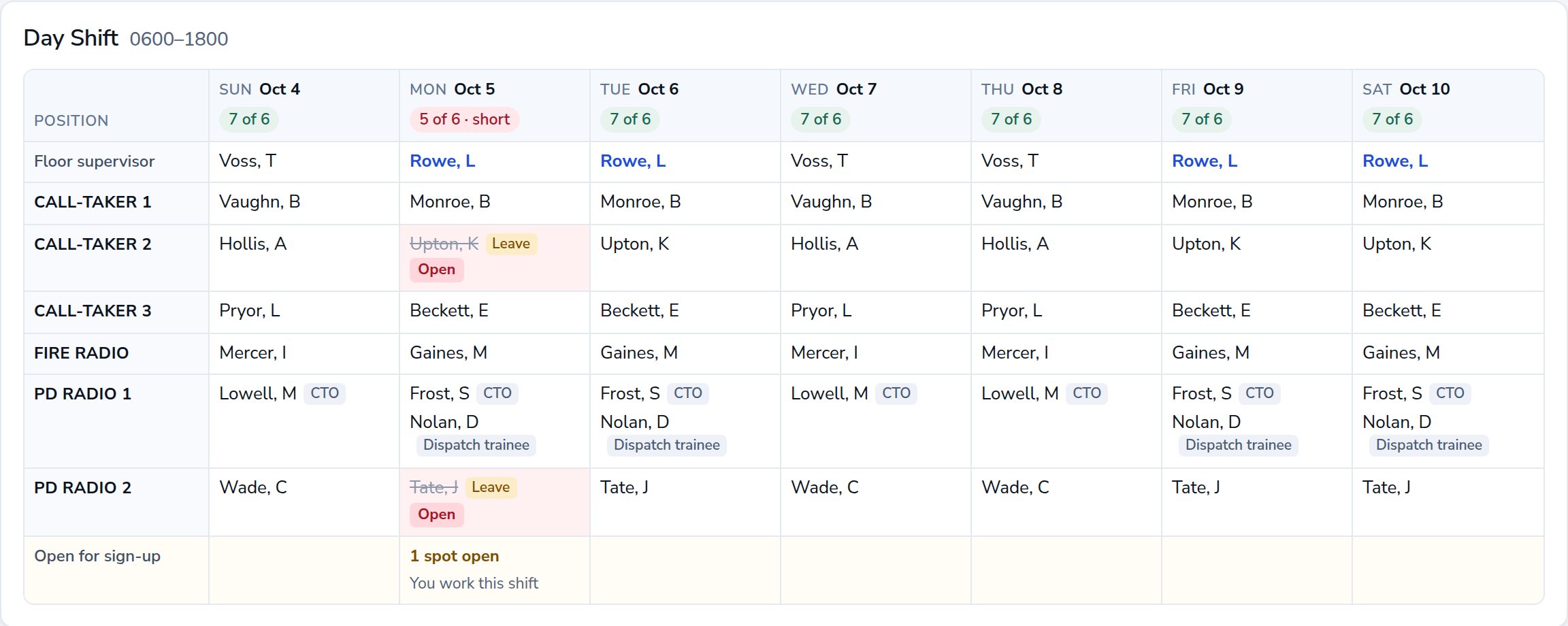
Daily schedule builder
The builder is one day at a time, for the units a supervisor leads. The shift header keeps a running count of people and seats against the minimum, and turns red when the shift is short.
- Drag a person onto a seat, between seats, or off the shift
- Tap-to-place on a phone
- People on leave shown on their seat, and not counted
- Call someone in from the not-scheduled list
Week view
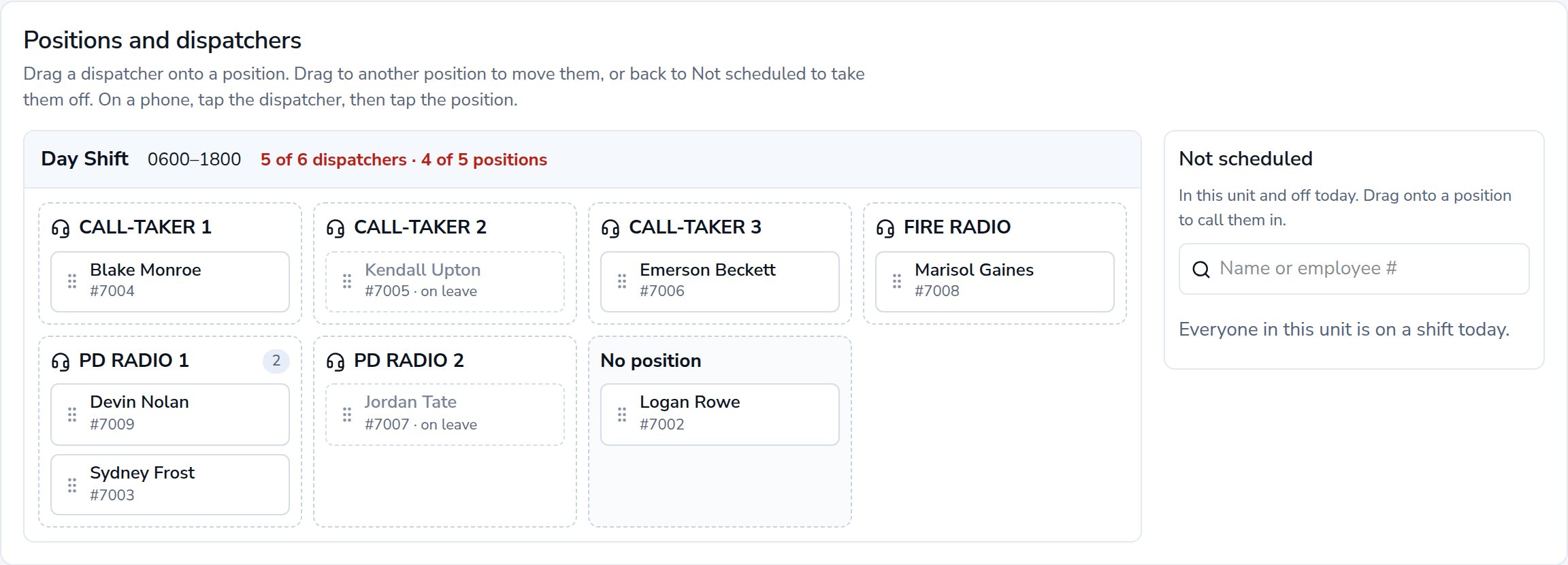
Week view by position
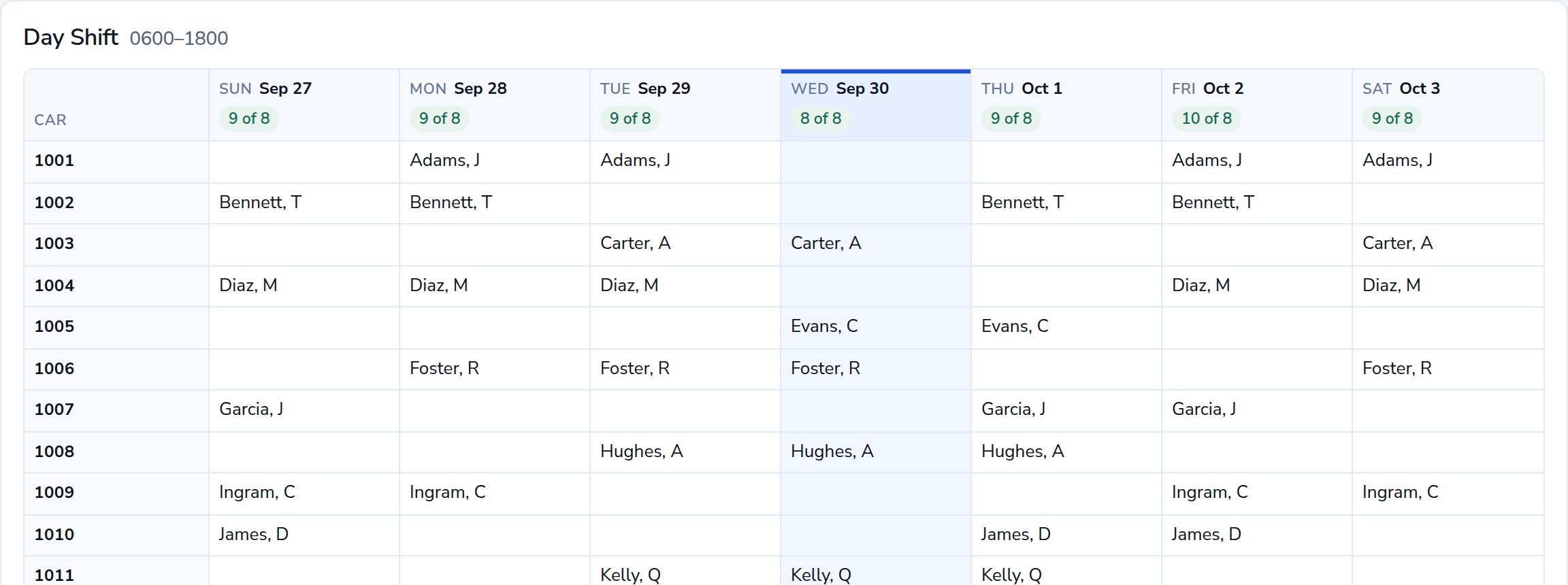
Anyone can look at any unit’s week. Supervisors click a day to open it in the builder. The month calendar and each person’s own schedule read from the same data.
- Grouped by shift, then by seat
- Open seats and short days flagged
- Posted open shifts with a sign-up button
- Printable for the wall
Checks and minimums
Staffing minimums and assignment checks
Each shift has its own minimum for people and for cars, positions, apparatus or units. Partial-day leave is counted for the hours it covers. Warnings can be reviewed and acknowledged; blocking rules stop the assignment.
- Minimums for people and for seats, per shift
- Shifts with no minimum, like administration
- Trainees counted only with their trainer
- Rest, overlap and leave checked on every assignment
- No overlapping shiftPass
- 8 h rest since last shift · agency minimum 10 hWarning
- Approved leave on Thu Sep 24Blocked
Warnings can be reviewed and acknowledged. Blocking rules stop the assignment.
Also included
Additional scheduling features.
Rotations
Define a rotation by cycle length and working days. Standing assignments give each person a shift, a seat and a rotation.
Shift templates
Start and end times, minimums and the unit each shift belongs to. Overnight shifts cross midnight cleanly.
Green sheet
Review the planning period, resolve pending requests, publish and notify. Print it or download an Excel workbook.
Open shifts
Post a shift with a number of spots to the units who can work it. Sign-ups are awarded by a supervisor.
Shift trades
Request a swap with a co-worker; a supervisor approves it and both schedules update.
Audit history
Assignment changes and approvals are written to an audit log that ordinary access can’t edit.
Request a demonstration.
A live walkthrough of the software using a fictional police department and 911 center. No personnel data is needed.