Open shifts
Post a shift to the units who can work it. People sign up from their phone; a supervisor awards it.
Police911 dispatchFireEMS
Build schedules, track staffing against minimums, fill open shifts and overtime, manage leave and certifications, and export payroll in one system for police, 911 dispatch, fire and EMS. Built by an active police officer.
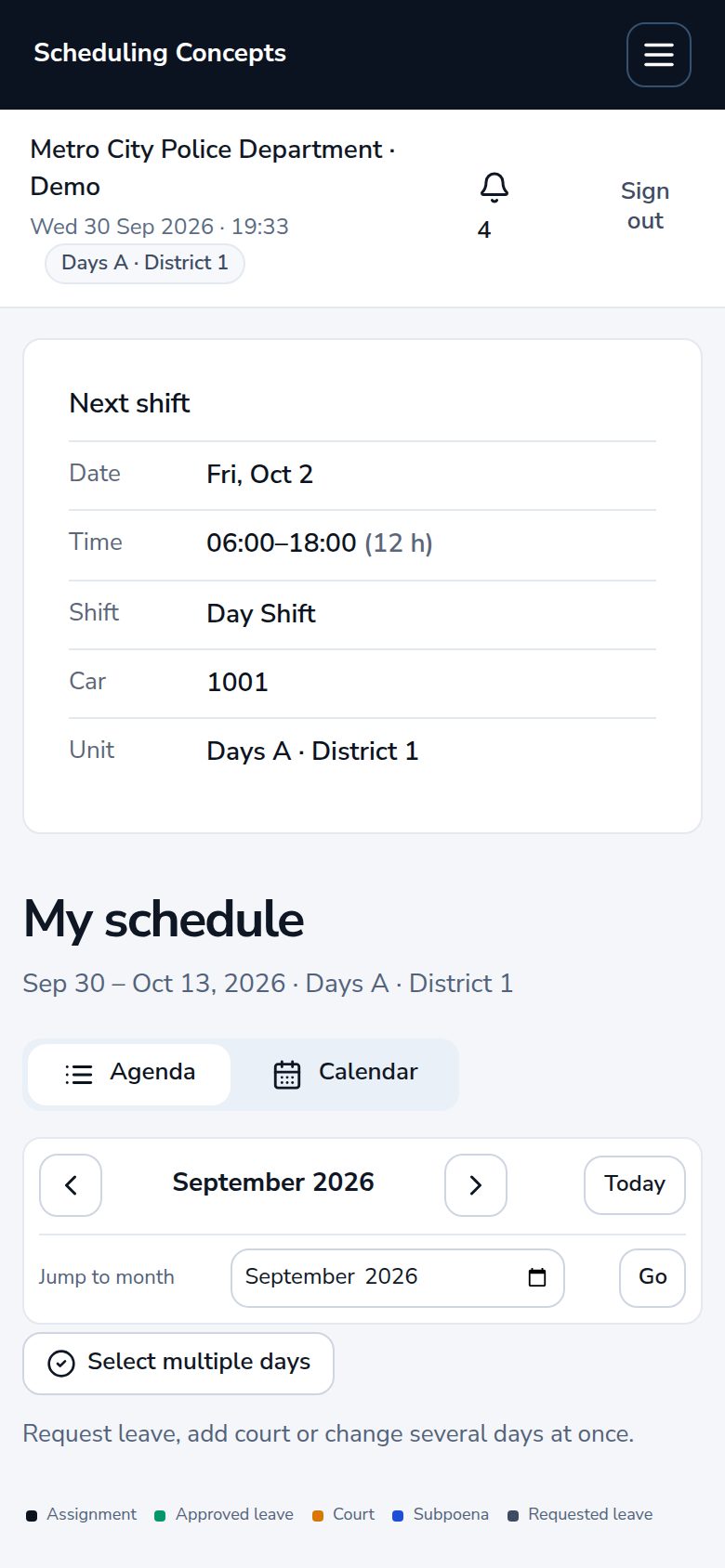
Illustration of the schedule builder · fictional records
Agencies
Each unit has its own type of work. A patrol squad schedules officers into cars; a 911 center staffs console positions; fire and EMS ride apparatus and units. The screens are the same, and the words change to match.
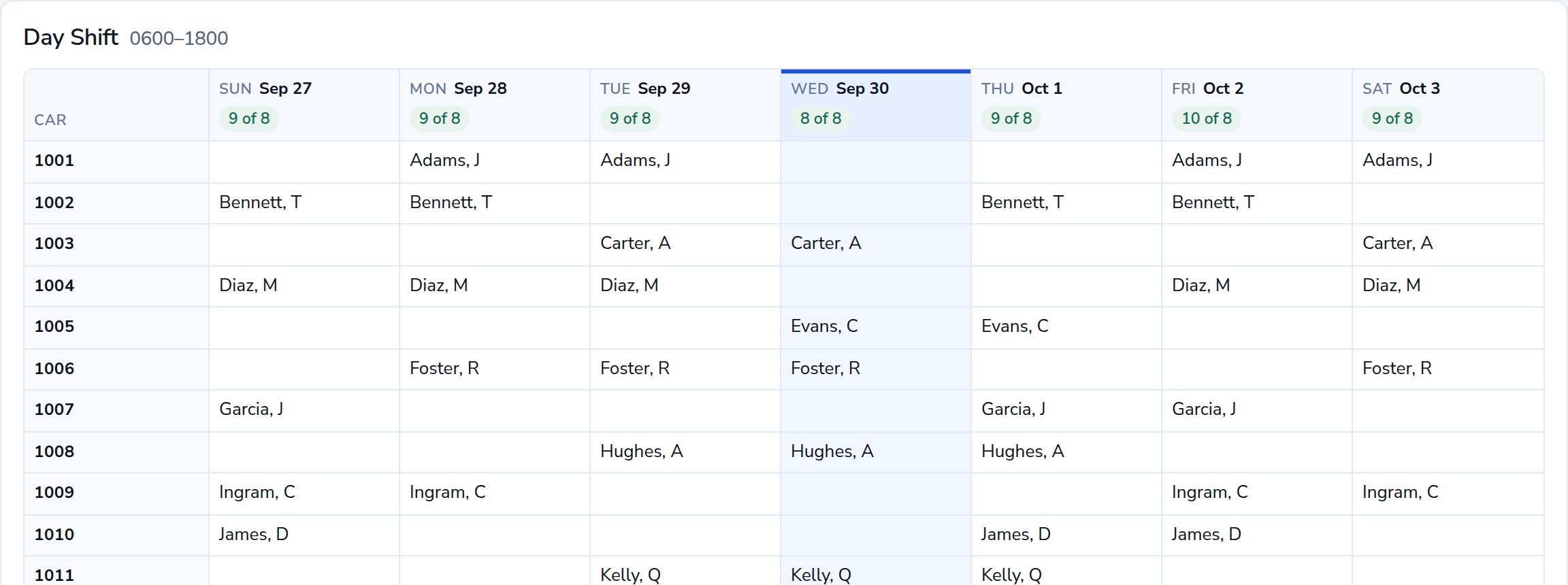
Assign officers to cars, pair trainees with their FTO, and keep detectives, K-9 and command staff on their own schedules. Court and subpoenas land on the officer’s calendar.
Scheduling
Drag a person onto a seat, move them between seats, or back to not scheduled. On a phone, tap the person and then the seat. Standing assignments and your rotations fill the calendar ahead, so the builder is for the day’s changes.
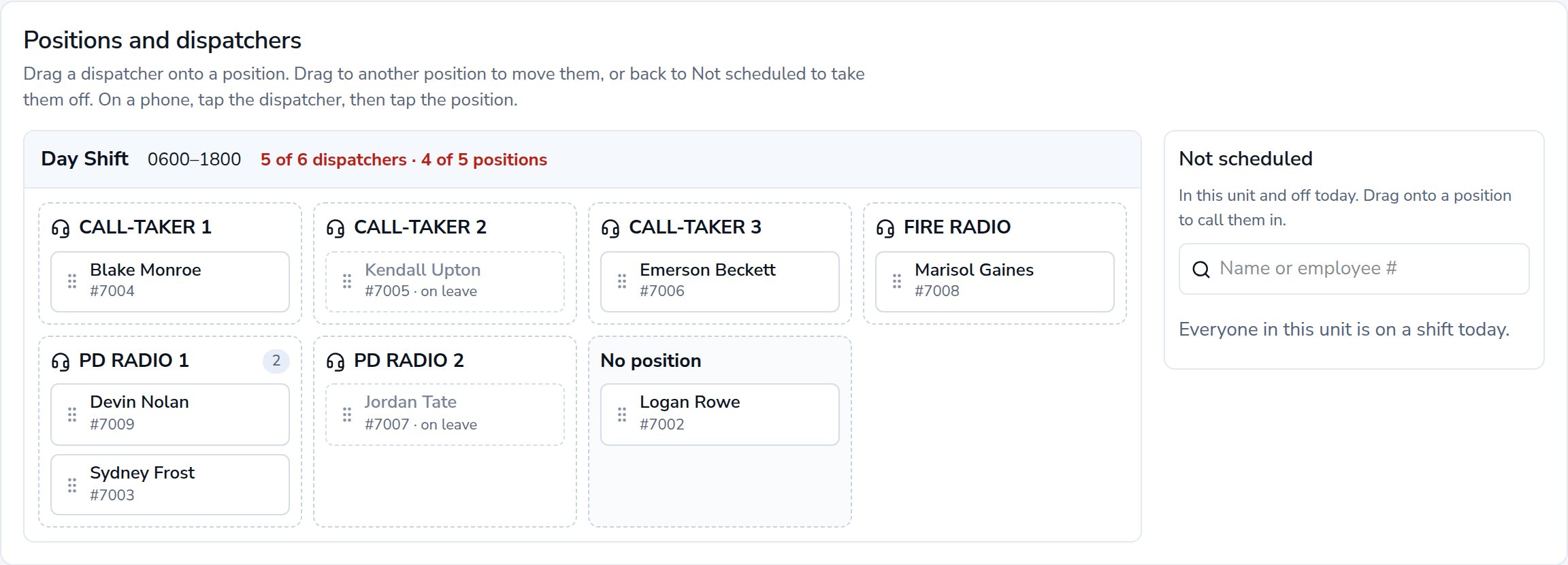
Scheduling
Anyone can look at any unit’s week. Supervisors click a day to open it in the builder; everyone else sees who is working.
Personnel
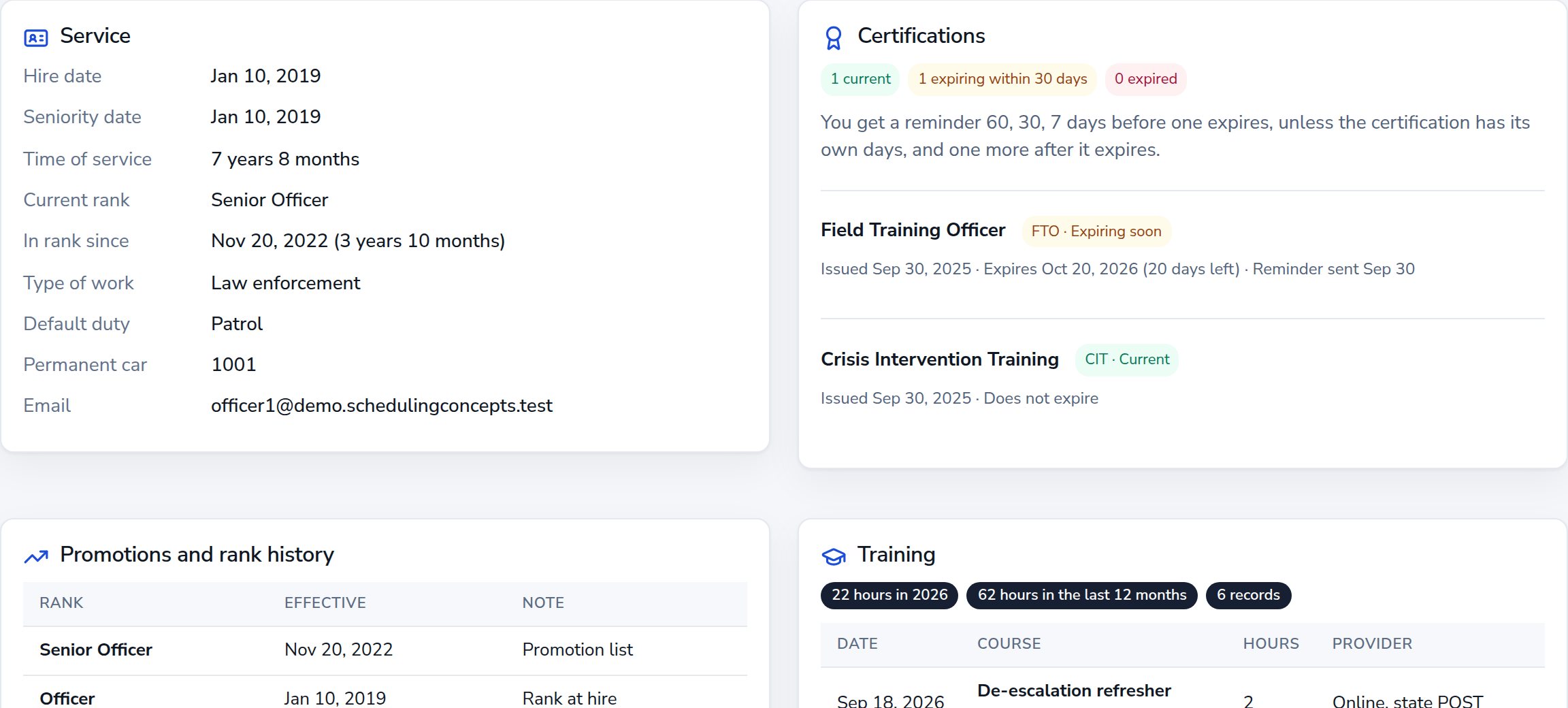
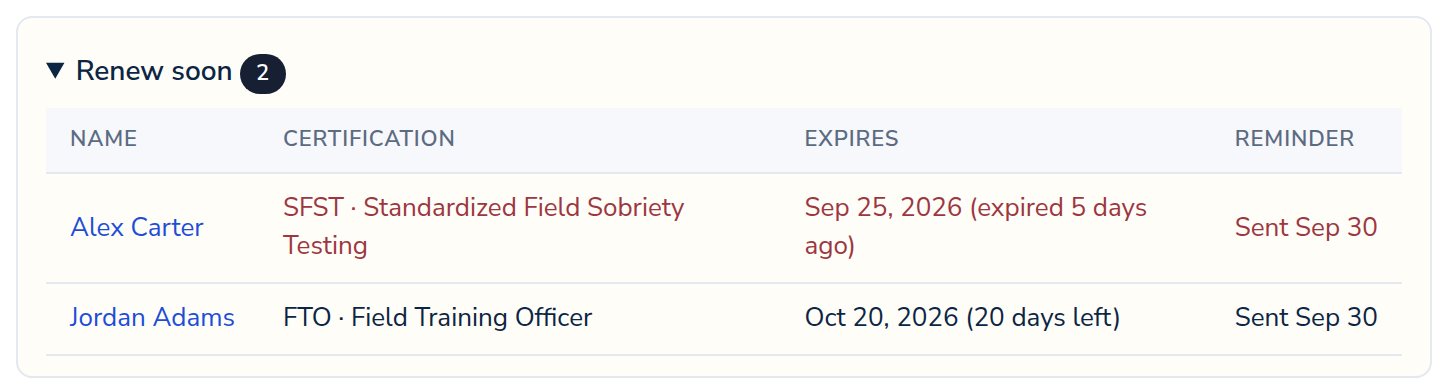
Each profile keeps service time, promotions, certifications and training in one place. People get a reminder before a certification lapses, and supervisors see who is due.
Also included
The whiteboard, the spreadsheet, the overtime call list and the stack of slips, in one place with a record of every decision.
Post a shift to the units who can work it. People sign up from their phone; a supervisor awards it.
Offers go out in the order your agency sets. Every offer, decline and acceptance is kept.
Send to a unit or the whole agency. Mark one required and it must be acknowledged before anything else.
Import people, leave balances, certifications and court dates from CSV. Check first, then commit or reverse.
Full or partial days from vacation, sick or comp banks. Approvals show what the shift looks like after.
Request a swap with a co-worker. A supervisor approves it and the schedule updates.
Court dates sit on the calendar. Officers answer each subpoena: will attend, on call or on leave.
The planning period on one page, printed or as an Excel workbook laid out like the paper sheet.
Mobile access
Scheduling Concepts installs to the home screen like an app. People see their next shift, request leave, answer a subpoena, sign up for an open shift and acknowledge messages without a desktop.
Scheduling rules
Every assignment is checked for overlapping shifts, approved leave and too little rest. Supervisors review warnings before they proceed; blocking rules stop the assignment. Every change and approval is written to an audit log.
How scheduling worksWarnings can be reviewed and acknowledged. Blocking rules stop the assignment.
User roles
Implementation
We walk through a demo police department and 911 center, focused on how your agency schedules. No roster needed.
Your units and their type of work, shifts, minimums, positions and rotations. Import people, balances and certifications from CSV.
Each person activates their own account from a single-use invitation, then adds the app to their phone.

Founder
“The people who keep a department staffed deserve better tools than a whiteboard and a spreadsheet. I’m building the system I wanted on my own shift.”
Cory StuperFounder · Active law enforcement
Our storySecurity
What is in place today, what is not yet, and what happens before an agency’s data is loaded.
No. Scheduling Concepts handles scheduling and workforce management. It works alongside computer-aided dispatch, records management and evidence systems, and does not connect to them.
Yes. Each unit has a type of work, and people see their own wording: officers and cars, dispatchers and positions, firefighters and apparatus, medics and units. Leave, overtime, open shifts and payroll work the same for everyone.
Administrators define rotations by cycle length and working days, then assign each person a shift, a seat and a rotation. The schedule fills ahead from those standing assignments, and supervisors change a single day in the builder.
Today it exports a CSV using your agency’s pay codes and payroll identifiers. Direct delivery to ADP and Workday is built but not yet validated against a live vendor account, so we don’t count it as an integration yet.
Not ourselves. Scheduling Concepts runs on Vercel and Supabase, whose infrastructure is independently audited for SOC 2 Type II, but that is their audit, not ours, and we make no CJIS or SOC 2 claim of our own. Before any real personnel data is used, we work through your agency’s security and deployment requirements with you.
No. Demos use fictional records. We can talk through your structure without personnel records or operational details.
A live walkthrough of the software using a fictional police department and 911 center. No personnel data is needed.